Back to plugins
3D Shapes for Lottie

3D Shapes for Lottie

Created byMotion Mau
Favorites
3

About this plugin

Lottie has no third dimension. This plugin gives you one anyway, by doing the 3D work up front and baking the result into paths Lottie already understands.

Pick a shape, set it spinning, and insert it. What lands in your scene is an ordinary shape layer: animated bezier paths, animated fills, nothing exotic. It plays in lottie-web, iOS, Android, dotLottie and anywhere else, with no expressions, no plugin dependency and no runtime library.

Ten shapes

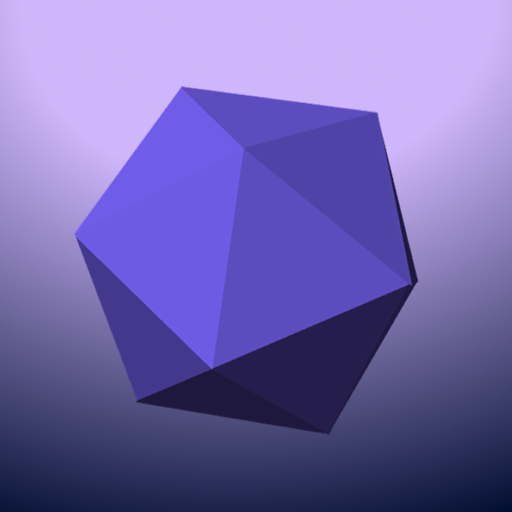
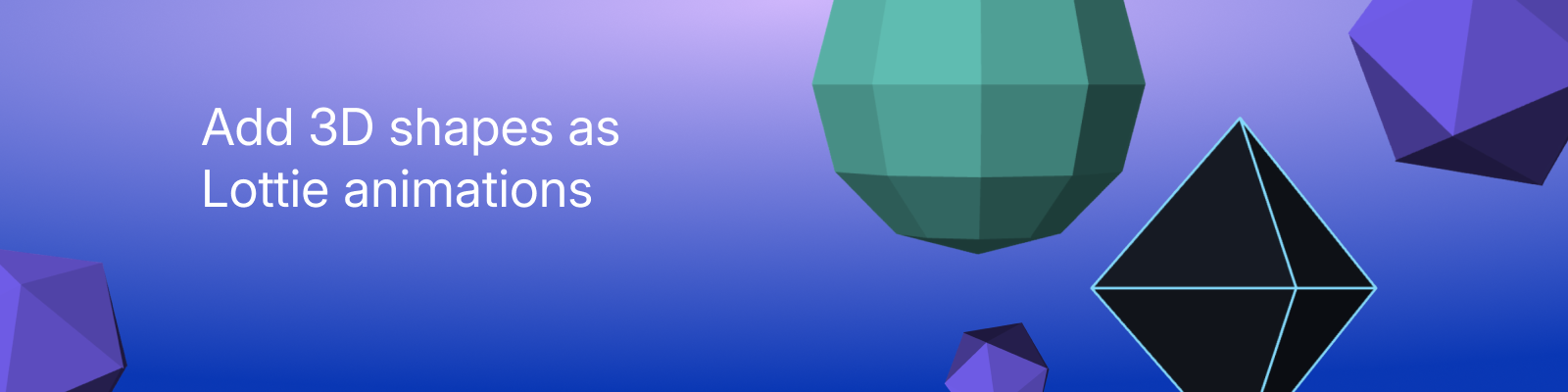
Cube, sphere, pyramid, cylinder, cone, torus, spiral, octahedron, icosahedron, and a flat plane.

Every one is a real mesh, not a trick of gradients. Sizes are per axis, so a cube stretches into a slab or a column, a sphere into an egg, a cylinder into a coin. Drop a cylinder to six sides for a prism, a cone to three for a tetrahedron, or a torus to six for a nut.

What the bake gives you

  • True perspective. A pinhole camera with an adjustable lens. Short lenses give you real foreshortening, long ones go nearly isometric.

  • Per-face shading. One key light, Lambert shaded, so faces darken as they turn away. Dial it from flat colour to fully modelled.

  • Hidden faces removed. Back faces are culled as they turn away, so solids read as solid.

  • Seamless loops. Spins are whole turns per loop and the scene holds a whole number of loops, so the last frame lands exactly on the first. No jump, no nudging keyframes afterwards.

  • Optional edges. Add a stroke for a wireframe or a faceted, mesh look.

Three tabs

Motion sets the spin around each axis and the loop length. Shape sets the size, the mesh detail, the resting tilt and the camera. Style sets colour, shading, edges. The preview runs the exact geometry the exporter writes, so what you watch is what you get.

The Optimize slider

Baked 3D means keyframes, and keyframes mean bytes. The plugin samples every frame, then reduces the result to a pixel tolerance you choose.

At 0% nothing is dropped: every sampled frame ships and faces weld exactly. Push it up and keys whose absence moves no corner more than the tolerance are removed. The readout next to the slider shows the live keyframe count and file size as you drag, so you can find your own balance instead of guessing.

For scale, the shipped presets run from 16 KB for a plane to about 570 KB for a tumbling torus.

Worth knowing

  • The geometry is baked, so colours, strokes and layer transforms stay editable in Creator, but the shape itself is keyframes rather than a live 3D object.

  • The torus and the spiral are not convex, so their faces are ordered into a near pass and a far pass at export. That fixes the ordering you would notice. Pointing a coil's axis straight at the camera stacks its turns concentrically, which is the one pose where the ordering can slip.

  • Turns and mesh detail are what cost bytes. A torus or a long spiral is far heavier than a cube, which is why those presets ship with more optimization.
New in version 1.0.0

3D Shapes for Lottie 1.0.0

First release. Lottie has no third dimension, so this plugin does the 3D work up front and bakes the result into paths Lottie already understands.

What it does

Pick one of ten shapes, set it spinning, insert it. What lands in your scene is an ordinary shape layer: animated bezier paths, animated fills, nothing exotic. No expressions, no plugin dependency, no runtime library, so it plays wherever Lottie plays.

Shapes

Cube, sphere, pyramid, cylinder, cone, torus, spiral, octahedron, icosahedron and a flat plane.

Sizes are per axis, so a cube stretches into a slab or a column and a sphere into an egg. Low counts change the shape's character rather than just coarsening it: a cylinder at six sides is a prism, a cone at three is a tetrahedron, a torus at six is a nut.

The 3D

  • A pinhole camera with an adjustable lens, from strong foreshortening to nearly isometric.

  • Per-face Lambert shading from one key light, adjustable from flat colour to fully modelled.

  • Back faces culled as they turn away, so solids read as solid.

  • Optional edge strokes for a wireframe or faceted look.

  • The plane is two sided and takes its own back colour.

Loops

Spins are whole turns per loop and the scene holds a whole number of loops, so the last frame lands exactly on the first. If the loop length you ask for does not divide the scene, the panel tells you the length it will deliver instead of quietly missing the seam.

Keyframes

Baked 3D costs keyframes. The plugin samples every frame and then reduces the track to a pixel tolerance set by the Optimize slider, using the keyframe reducer from the Physics Simulator plugin.

At 0% nothing is dropped: every sampled frame ships and faces weld exactly. Above that, keys whose absence moves no corner further than the tolerance are removed. The readout beside the slider shows the live keyframe count and file size while you drag. The shipped presets run from 16 KB for a plane to about 570 KB for a tumbling torus.

Known limits

  • The geometry is baked. Colours, strokes and layer transforms stay editable in Creator, but the shape is keyframes rather than a live 3D object.

  • The torus and spiral are not convex, so their faces are split into a near and a far pass at export. This fixes the ordering error you would actually notice, a dark far facet drawn over a lit near one. Faces sharing a pass keep an arbitrary order, which can show as a faint sliver where a torus's hole closes, or between the turns of a coil whose axis points at the camera.

  • Torus thickness stops at 46%. At exactly half the ring's inner edge collapses to a point and the surface pinches.


Install: upload shapes-3d-1.0.0.zip in Creator. Requires plugin API version 1.